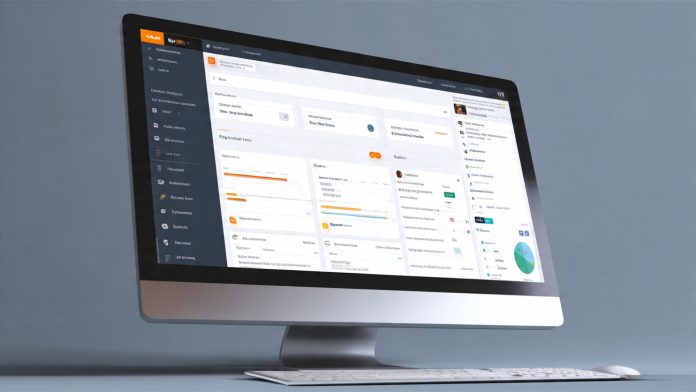
Mastering Your Hosting Control Panel – If you are new to web hosting, the term cPanel might sound intimidating. However, cPanel is actually your best friend. It is the world’s leading web hosting control panel, providing a simple, user-friendly graphical interface to manage every aspect of your website and hosting account.
For KathmanduHost users, cPanel is the central nervous system of your hosting plan. This beginner’s guide will walk you through the most crucial features of cPanel, helping you manage your files, emails, domains, and security like a pro, right here in Nepal.
What Exactly is cPanel and Why Does KathmanduHost Use It?
- Simplicity and Standardization: cPanel simplifies complex server tasks (like setting up emails or installing WordPress) into simple, clickable icons.
- Industry Standard: Because it’s used globally, you can easily find tutorials and support, making your hosting experience smooth whether you are managing a small site or using a powerful cPanel hosting plan for a large business.
Logging In to Your KathmanduHost cPanel Account
- Step-by-Step Access: Provide clear instructions on how to log in:Technical Guides
- Go to
yourdomain.com/cpanel(or the direct URL provided by KathmanduHost). - Enter the username and password provided in your welcome email.
- Go to
- Security Tip: Always use a strong, unique password for your cPanel login.
Section 1: Files – Managing Your Website Content
(These are the most basic and frequently used features.)
- File Manager: This is your digital hard drive. Explain how to use the File Manager to upload, download, move, and edit files directly on your server—crucial for manual updates or troubleshooting.
- Backups: Show users the Backup Wizard icon. Emphasize that regular backups are essential for security and quick recovery (a safety net for every user in Nepal).
Section 2: Domains – Setting Up Your Web Address
- Addon Domains: Explain how to use this feature to host multiple websites (different domain names) under a single cPanel account, saving money on extra hosting.
- Subdomains: Explain how to create subdomains (like
blog.yourdomain.com) for testing or specialized content. - Redirects: Show how to redirect an old URL to a new one, which is vital for maintaining SEO during website restructuring.
Section 3: Databases – The Engine of WordPress
- phpMyAdmin: Briefly explain that this tool is used to manage the site’s database. Advise beginners not to tinker too much, but to understand its purpose, especially if they are running a CMS like WordPress.
Section 4: Email – Setting Up Professional Communication
- Email Accounts: This is a high-value feature. Explain the simple process of creating professional email addresses (e.g.,
info@yourdomain.com) for your business. - Forwarders: Show how to set up forwarding so emails sent to a custom address land in a personal Gmail account.
- Email Spam Filters: Advise users to configure spam protection to keep their inbox clean.
Section 5: Security – Protecting Your Website
- SSL/TLS Status (Free SSL): Point users to this section and remind them to ensure their free SSL certificate is installed and active (the padlock icon).
Conclusion: Full Control at Your Fingertips
cPanel is a powerful tool designed to put you in complete control of your website. By mastering these basic sections, you can manage your digital presence efficiently and securely.
If you are looking for an intuitive, feature-rich hosting environment, start with a host that provides the industry-standard cPanel.
Ready to simplify your website management? Click here to view our cPanel Hosting Plans and start building your website today!